
PUBLISH
Launch campaigns on one screen, a group, or the whole network, with start and end dates.
Tell your AI what you need.
Recubik takes care of the rest.
Recubik connects your digital signage platform with AI assistants such as ChatGPT and Claude through MCP. This allows you to manage content, campaigns, and screens using natural language instructions.
Instead of navigating through different menus to find content, modify a schedule, or publish a campaign, you can simply tell Recubik what you need, and it will carry out the action while respecting the permissions configured in your account.
Publishing, scheduling, or updating content is no longer a sequence of clicks. Simply describe the outcome you want, and the AI agent takes care of the steps in your digital signage software.
Ask what’s playing on each screen, which content hasn’t been used in a while, or where a campaign is active, and get answers right in the same conversation.
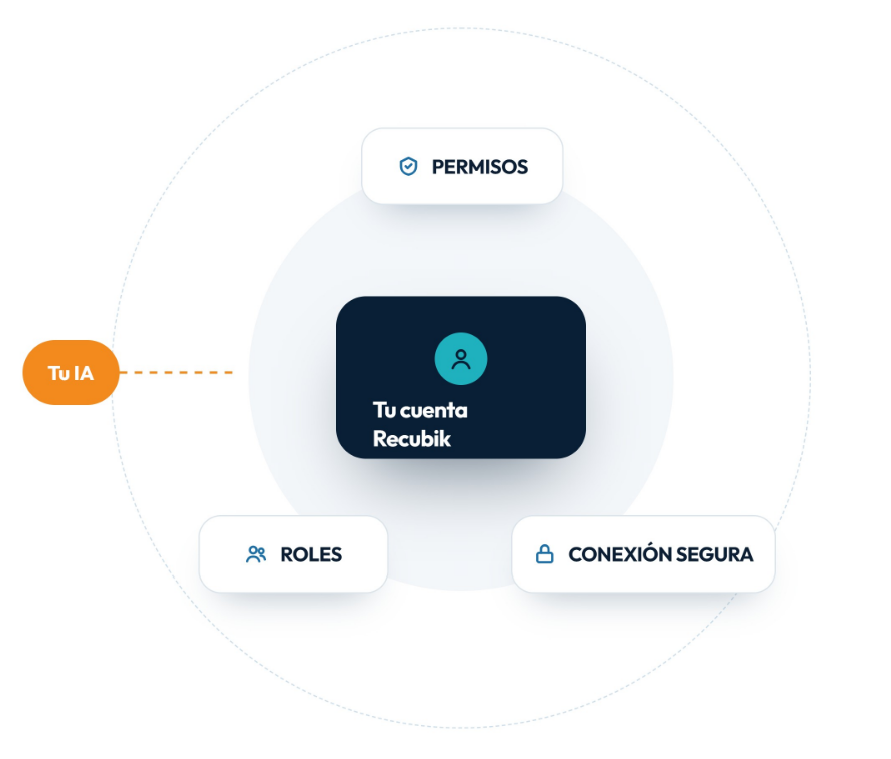
AI works with your Recubik user account: the same permissions, roles, and screen settings your team already uses. The AI adapts to your existing setup.
“Schedule the Autumn menu campaign in the Barcelona restaurants until Sunday.”
The Recubik AI agent helps you with everyday Digital Signage management tasks: publishing campaigns, scheduling content, finding where each file is playing, or updating information on several screens at once. You describe what you need in ChatGPT or Claude, and Recubik carries it out across your digital signage network.
Launch campaigns on one screen, a group, or the whole network, with start and end dates.
Define when each piece of content is shown and fit it into the existing schedule.
Locate active or unused content and check which screens it appears on.
Change prices, text, or slides that are already published across all locations.
Connect Recubik to your AI assistant just once. From then on, you can use natural-language instructions to look up information or take actions on your content and screens, without changing the usual setup of your Digital Signage network.
Recubik lets you use a single request to act on different screens, locations, or pieces of content. You can manage anything from a single screen to Digital Signage networks spread across stores, hotels, restaurants, offices, or other spaces.
When you connect ChatGPT or Claude, the assistant signs in with your Recubik account and inherits exactly the same access level. If your role allows you to manage screens in just one store, the AI will work only with those screens; any action requiring additional permissions remains out of its reach.
Communication between your assistant and Recubik is encrypted using TLS and complies with GDPR. In addition, content deletion is restricted to Recubik administrators, ensuring your published content is always protected.
MCP, ChatGPT, Claude, content and campaign management,
permissions, security, tokens, and compatibility with your digital signage network.
No. You just need to paste the connection URL into your AI tool and sign in with your usual Recubik account. No coding or API keys required.
The Recubik agent works with any MCP-compatible tool, including ChatGPT and Claude, in both their web and desktop versions.
The AI agent is available on Recubik’s Business and Premium plans at no additional cost. We recommend the PRO plan if you plan to use it extensively, as it optimizes your AI token usage.
No. You just need to paste the connection URL into your AI tool and sign in with your usual Recubik account. No coding or API keys required.
The Recubik agent works with any MCP-compatible tool, including ChatGPT and Claude, in both their web and desktop versions.
The AI agent is available on Recubik’s Business and Premium plans at no additional cost. We recommend the PRO plan if you plan to use it extensively, as it optimizes your AI token usage.
No. For security reasons, deletion actions are disabled. The agent can create, update, and manage content, but any deletion must be carried out directly in the Recubik management platform.
The agent doesn’t replace the management platform; it makes it faster to use. Repetitive tasks or those involving multiple screens and locations go from several minutes of navigating menus to a single sentence, leaving the management platform for more detailed configuration.
Only the information needed to respond to each of your requests is shared. Your full account is not shared with the AI provider by default.
Leave us your details and we’ll help you connect Recubik to ChatGPT or Claude, review your team’s permissions with you, and run your first requests on your own screens.
+34 937 044 679
+34 919 041 331
+34 900 056 030
info@recubik.com